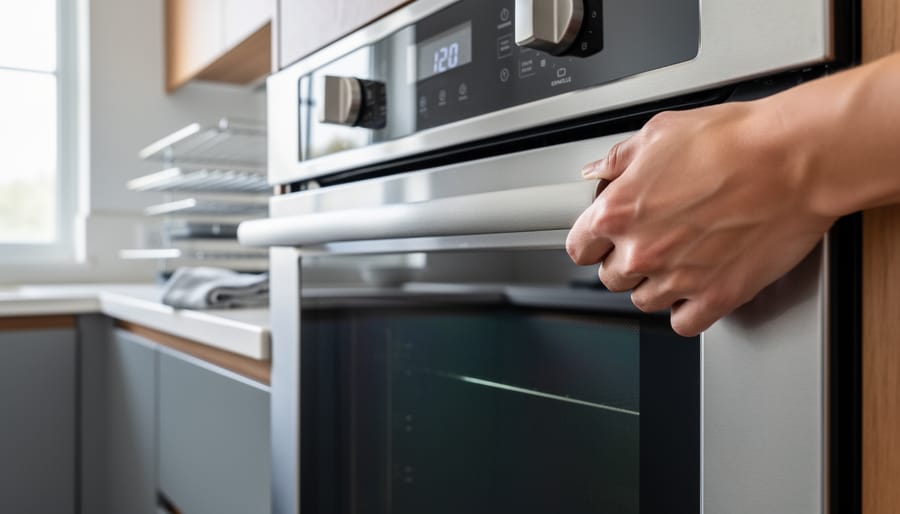


Press the self-clean button on your GE oven and hold for three seconds to initiate the cycle, ensuring you’ve first removed all racks, pans, and visible food debris from the oven interior. If the door won’t lock or the cycle won’t start, check that the oven door is completely closed and the latch mechanism moves freely without obstruction. Reset your oven by switching off the circuit breaker for 60 seconds, which resolves most electronic glitches preventing the self-clean function from engaging properly.
Understanding how your GE oven’s self-clean feature operates helps you troubleshoot issues confidently and maintain your appliance for years of reliable service. The self-cleaning cycle heats your oven to approximately 880 degrees Fahrenheit, transforming baked-on food and grease into fine ash you can easily wipe away once the cycle completes and the oven cools. This same principle of efficient, eco-friendly heat management applies throughout your home, whether you’re optimizing your oven’s performance or maximizing warmth from sustainable heating sources.
When your self-clean function malfunctions, you’re facing more than an inconvenience—you need practical solutions that restore your kitchen’s functionality quickly. This guide walks you through diagnosing common problems, implementing safety protocols, and exploring effective alternatives when professional repair becomes necessary.
Understanding Your GE Oven’s Self-Clean Function
What Happens During the Self-Clean Cycle
When you activate the self-clean cycle on your General Electric oven, you’re initiating a remarkable high-heat process that transforms baked-on grime into easily removable ash. Here’s what happens behind that locked door.
First, your oven’s automatic locking mechanism engages once the internal temperature begins climbing. This safety feature prevents anyone from accidentally opening the door during the extreme heat cycle. Modern electric ovens typically reach temperatures between 800 and 900 degrees Fahrenheit during self-cleaning, which is significantly hotter than any cooking temperature you’d normally use.
At these intense temperatures, food residue, grease splatters, and carbon deposits essentially incinerate. The organic materials break down through pyrolysis, a process similar to what happens in a wood-burning fireplace when logs turn to ash. The difference is that your oven contains this process in a controlled, insulated environment.
The cycle typically runs for two to four hours, depending on how soiled your oven is and which setting you choose. Throughout this time, you’ll notice the exterior becoming warm and possibly some odors as residues burn away. Once the temperature drops to a safe level, usually around 200 degrees, the door automatically unlocks, leaving behind only a fine ash that you can easily wipe away with a damp cloth.
Safety Features Built Into the System
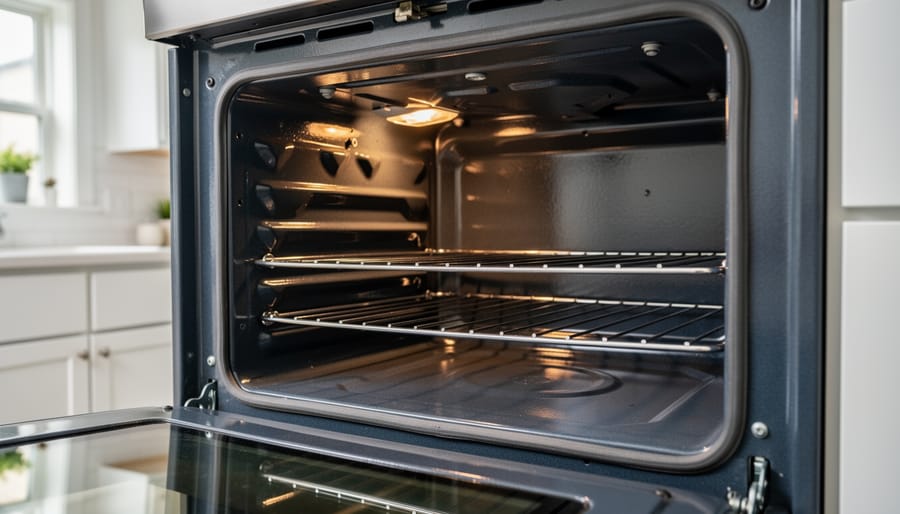
General Electric has thoughtfully designed their self-cleaning ovens with multiple layers of protection to give you peace of mind during the cleaning cycle. The most noticeable safety feature is the automatic door lock, which engages as soon as the oven reaches approximately 600 degrees Fahrenheit. This mechanism physically prevents anyone from opening the door during the extreme heat cycle, protecting your family from potential burns. You’ll notice the lock indicator light on your control panel, and the door won’t unlock until temperatures drop to a safe level, typically below 500 degrees.
Temperature sensors continuously monitor the oven’s internal heat throughout the cleaning process. If temperatures exceed safe parameters, the system automatically adjusts or shuts down to prevent damage to the appliance or your home. This built-in intelligence means you don’t need to babysit the process, though we always recommend staying home during the cycle.
Additionally, thermal fuses act as a fail-safe mechanism, cutting power to the oven if any component overheats dangerously. These safety features work together like a well-designed fireplace flue system, managing intense heat responsibly while keeping your home environment secure and comfortable. Understanding these protections helps you use the self-clean feature confidently, knowing your appliance prioritizes both effectiveness and safety.
Common Reasons Your Self-Clean Won’t Start
Door Latch Problems
Your GE oven’s self-cleaning cycle depends on a door latch that locks securely before the high-heat cleaning process begins. When this mechanism malfunctions, it can be as frustrating as trying to enjoy a cozy evening by your fireplace only to find the damper won’t close properly.
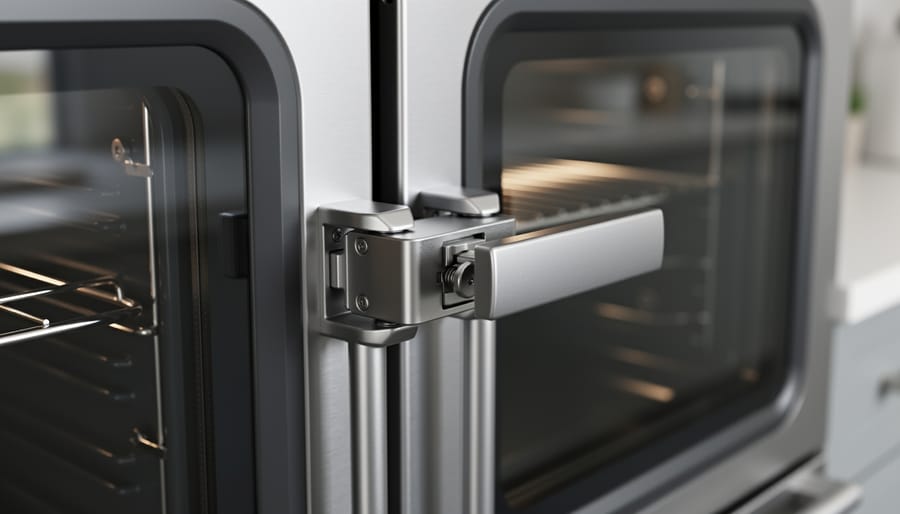
The most common door latch problem is simple misalignment. Over time, the latch hook or striker plate can shift slightly, preventing the door from engaging properly. Open your oven door and carefully inspect the latch assembly on the door frame and the corresponding catch on the door itself. Look for any visible gaps or misalignment when you attempt to close the door. Sometimes a gentle adjustment or tightening of mounting screws can restore proper alignment.
If your oven displays an error code or the self-clean cycle refuses to start, the door lock motor assembly might be faulty. This motorized component physically moves the latch into position once the cycle begins. You’ll hear a distinct clicking or whirring sound when it’s working correctly. If you hear grinding noises or nothing at all, the motor may need replacement. Always disconnect power before inspecting any electrical components, ensuring your home stays as safe as it is comfortable.
Temperature Sensor Issues
Your GE oven’s temperature sensor plays a crucial role in the self-cleaning process, acting as the safety guardian that monitors heat levels throughout the cycle. When this sensor malfunctions, your oven’s built-in protection system will automatically stop the cleaning cycle to prevent potential overheating or damage. Think of it as a vigilant companion keeping your home safe, much like how proper heating systems create a secure, comfortable environment.
Common signs of sensor failure include the self-clean cycle starting but stopping prematurely, error codes flashing on your display panel, or the oven not heating to the proper temperature during the cycle. You might also notice inconsistent temperature readings or the cycle refusing to start altogether. The sensor, typically located at the back of the oven cavity, can become corroded, damaged by cleaning chemicals, or simply wear out over time. If you suspect sensor issues, it’s best to consult a qualified technician who can test the sensor’s resistance and determine whether replacement is necessary. This relatively affordable fix can restore your oven’s self-cleaning capability and ensure safe, efficient operation for years to come.
Control Panel and Electronic Glitches
Modern GE ovens rely on electronic controls that can occasionally hiccup, leaving you puzzled when you’re ready to tackle that self-cleaning cycle. If your control panel displays cryptic error codes like F1, F3, or F9, don’t worry—these are simply your oven’s way of communicating specific issues. The F1 code often indicates a stuck button or a control board problem, while F3 typically signals an oven sensor malfunction. You can try resetting your oven by unplugging it for five minutes or flipping the circuit breaker, which clears many temporary electronic glitches.
When buttons become unresponsive or the touchpad feels sluggish, start with a simple cleaning. Grease buildup can interfere with touch sensitivity, so wipe the control panel gently with a damp cloth. If your self-clean cycle won’t start despite pressing all the right buttons, check that the oven door is completely closed—the safety latch must engage properly. Sometimes the display will light up but won’t respond to commands, suggesting a deeper control board issue that may require professional attention. Keep your owner’s manual handy for model-specific error code definitions, as these codes guide you toward the right solution efficiently.
Power Supply Interruptions
Your oven’s self-clean cycle draws significantly more power than regular cooking, which can sometimes overwhelm your home’s electrical system. If your self-clean cycle suddenly stops or your oven loses power partway through, the most common culprit is a tripped circuit breaker. The extreme temperatures during cleaning can cause the breaker to trip as a safety measure, especially in homes with older electrical panels or shared circuits.
Check your electrical panel first and look for any switches in the off position or sitting in a middle position. Reset the breaker fully by switching it off, then back on. If it trips repeatedly during self-clean mode, you may need an electrician to assess whether your oven requires a dedicated circuit.
Partial power loss creates a particularly frustrating situation where your oven controls light up but the cleaning cycle won’t complete. This typically happens in homes with dual-breaker setups where one breaker trips while the other stays active. Your oven needs both to function properly during the demanding self-clean process.
Voltage fluctuations can also interfere with the cycle’s completion. If your lights dim when the self-clean starts, or if you notice other appliances acting strangely, your home may be experiencing voltage issues that prevent the oven from maintaining the necessary heat levels for effective cleaning.
Step-by-Step Troubleshooting for Self-Clean Problems
The Basic Reset (Start Here First)
Before diving into complex troubleshooting, let’s start with the simplest solution that surprisingly resolves many self-clean issues. Think of this as giving your oven a fresh start, much like how opening the flue on your fireplace helps reset airflow for better performance.
Begin with a complete power cycle. Locate your home’s circuit breaker box and flip off the breaker dedicated to your GE oven. Wait a full five minutes to allow the oven’s electronic control board to completely discharge and reset. This brief pause clears any temporary glitches in the system, similar to how letting your home settle helps maintain its overall comfort. Flip the breaker back on and check if the self-clean function responds.
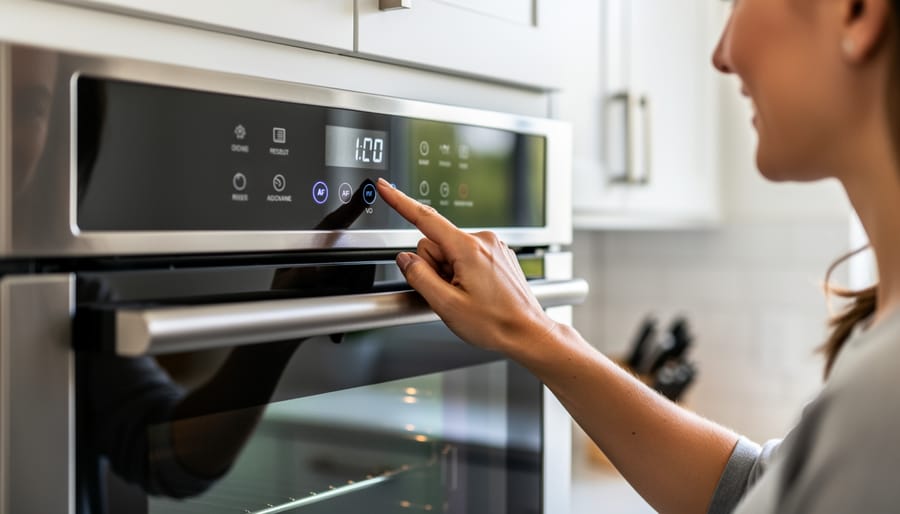
If the circuit breaker reset doesn’t work, try the control panel reset. Press and hold the “Clear/Off” or “Cancel” button for three to five seconds. Some GE models require you to press “Clock” and “Timer” simultaneously. This action cancels any stuck cleaning cycles and returns the oven to its normal state.
These simple resets solve roughly seventy percent of self-clean issues without requiring any tools or technical expertise, making them your go-to first step for a smoothly functioning kitchen.
Checking and Testing the Door Latch
The door latch assembly is the heart of your self-clean operation, much like how a well-maintained damper controls airflow in your fireplace system. When the latch malfunctions, your oven won’t enter self-clean mode as a safety measure.
Start by visually inspecting the latch mechanism on your oven door. Look for any obvious damage, broken components, or debris blocking the latch’s movement. The latch should slide smoothly without resistance when you gently push it. If it feels sticky or jammed, carefully clean around the mechanism with a soft cloth, avoiding harsh chemicals.
To test the lock motor, initiate the self-clean cycle and listen carefully. You should hear a distinct clicking or whirring sound as the motor engages. If there’s complete silence, the motor may have failed and needs replacement. Check the latch alignment by examining the strike plate on the oven frame where the latch connects. The two components should meet perfectly flush when the door closes.
Misalignment often occurs after the door has been removed for cleaning or if the oven has been moved. You can sometimes adjust the strike plate by loosening mounting screws slightly and repositioning it. Remember, proper alignment ensures not just cleaning efficiency but also energy conservation, similar to how a properly sealed fireplace maintains your home’s warmth effectively.
Verifying Your Oven’s Power Connection
Before starting a self-clean cycle, it’s essential to confirm your oven has the robust power connection it needs. The self-clean feature demands significantly more energy than regular cooking, similar to how a high-efficiency heating system needs proper electrical support to operate safely.
Start by checking your circuit breaker panel. The self-clean cycle typically requires a dedicated 240-volt circuit with adequate amperage. If the breaker has tripped or appears worn, reset it carefully. Look for any signs of damage around the outlet or unusual discoloration that might indicate electrical issues.
Listen for any unusual oven sounds when you attempt to start the cycle, as these can signal power supply problems. If your oven’s display dims or the cycle won’t initiate, insufficient power is likely the culprit.
For your safety and peace of mind, consider having a licensed electrician verify your electrical connection if you notice flickering lights or partial heating during the cycle. This proactive approach ensures your appliance operates efficiently while protecting your home’s electrical system.
Decoding Error Codes on Your GE Oven Display
When your GE oven’s self-clean cycle encounters trouble, the display will often show an error code to help you identify the issue. Understanding these codes can save you time and potentially a service call.
The most common error code during self-cleaning is F1, which typically indicates a temperature sensor issue. This means your oven isn’t detecting the proper heat levels needed for the self-clean cycle to function safely. You might also see F3 or F4, which point to problems with the oven’s temperature sensor circuit. These codes suggest the sensor may need replacement or there’s a wiring connection that’s come loose.
Error code F9 or F90 relates to the door lock mechanism, which is crucial during self-cleaning. If the door won’t lock properly, the cycle won’t start as a safety precaution. Sometimes these errors can be related to electric appliance fuses or electrical issues within the control board.
If you see Loc or door on your display, the oven is simply indicating the door is locked during the cycle, which is normal. However, if this stays on after the cycle completes and the oven cools, you may need to reset the control panel by turning off the circuit breaker for a few minutes.
Safety Precautions During Self-Clean Troubleshooting
Before you begin troubleshooting your General Electric oven’s self-clean feature, let’s talk about keeping you and your home safe throughout the process. Think of this like tending to a fireplace – you want all the warmth and benefits without any unwanted surprises.
First and foremost, always disconnect the power to your oven before investigating any mechanical or electrical issues. Locate your circuit breaker and flip the switch for your oven, or unplug it if accessible. This simple step protects you from electrical shock and gives you peace of mind while working. Only restore power when you’re completely finished with hands-on troubleshooting.
Ventilation is absolutely crucial during the self-clean cycle. Your oven reaches temperatures up to 900 degrees Fahrenheit, essentially turning food residue into ash – similar to how a wood-burning fireplace operates. This process releases smoke, odors, and potentially harmful fumes into your home’s air. Open windows in your kitchen and adjacent rooms before starting the cycle. Turn on your range hood or use fans to create cross-ventilation. This approach mirrors the importance of proper chimney ventilation in maintaining healthy indoor air quality.
If you have pets or family members with respiratory sensitivities, consider having them stay in a different area of your home during the cleaning process. Birds are particularly vulnerable to fumes and should be relocated to a well-ventilated room away from the kitchen.
Never attempt to manually open the oven door while it’s locked during the self-clean cycle. The safety lock exists for good reason – the extreme heat inside could cause serious burns. If the door won’t unlock after cooling, disconnect the power and consult your manual rather than forcing it open.
Finally, remove any aluminum foil, oven liners, or cookware before starting the self-clean cycle, as these can damage your oven or create fire hazards.
When the Self-Clean Cycle Gets Stuck or Won’t Stop
Few things are more frustrating than a self-clean cycle that won’t end or an oven door that stays locked long after cleaning should be finished. The good news is that this common issue usually has straightforward solutions you can handle yourself.
First, understand that GE ovens are designed with safety in mind. The door locks automatically during self-cleaning and won’t unlock until the oven cools to a safe temperature, typically around 200-250°F. This can take anywhere from 30 minutes to two hours after the cycle completes. If your cycle seems stuck, check if the oven is simply still cooling down. Many models have a “LOCKED” or “LOCK” indicator light that will remain illuminated until it’s safe to open.
If the cycle has been running unusually long, try pressing the Cancel or Clear/Off button and hold it for three seconds. This should terminate the cycle, though the door will remain locked until cooling is complete. Some models feature automatic oven shutoff after 12 hours of continuous operation as a safety measure.
For doors that remain locked after the oven has completely cooled, try these steps: Unplug the oven or turn off the circuit breaker for five minutes to reset the control board. Restore power and wait a few minutes. This often resets the locking mechanism.
If problems persist, avoid forcing the door open, which could damage the latch assembly. Instead, consult your manual or contact a qualified technician to prevent safety risks or further complications.
Alternatives When Self-Clean Isn’t Working
When your GE oven’s self-clean feature isn’t cooperating, don’t worry – you have several effective options to keep your oven sparkling while you troubleshoot or wait for repairs. Think of this as an opportunity to embrace gentler, more eco-friendly approaches to oven maintenance.
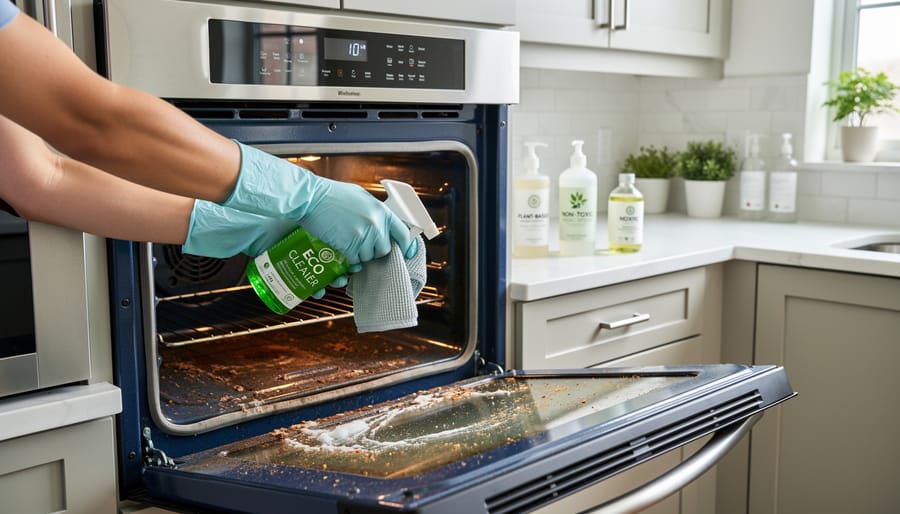
Manual cleaning methods can be surprisingly effective and give you more control over the process. Create a simple paste using baking soda and water, apply it to cooled oven surfaces, and let it sit overnight. The next day, wipe away the paste with a damp cloth, then spray vinegar to neutralize any residue. This natural approach is safe for your family and the environment, much like choosing sustainable heating solutions for your home.
For stubborn spots, commercial eco-friendly oven cleaners offer powerful results without harsh chemicals. Remember to always work with a cool oven and ensure proper ventilation. Regular light cleaning after spills prevents major buildup, reducing the need for intensive self-clean cycles altogether. This preventive approach not only extends your oven’s life but also reduces energy consumption, making it a win for both your home and the planet.
When to Call a Professional (And What It Might Cost)
Sometimes, despite our best troubleshooting efforts, your GE oven’s self-clean feature needs professional attention. Knowing when to call in an expert can save you time, frustration, and potentially prevent damage to your appliance.
You should contact a professional if you notice the door lock mechanism is physically broken, the control board shows error codes that persist after power cycling, or you smell burning plastic or see sparking during the cleaning cycle. These aren’t DIY fixes and require specialized knowledge and replacement parts. Similarly, if your oven won’t heat properly even after a successful clean cycle, the heating elements may need professional replacement.
Typical repair costs for self-clean issues range from $150 to $400, depending on your location and the specific problem. A simple door latch sensor replacement might cost around $150-$200, while control board replacements can run $300-$400 including labor. Always request a diagnostic fee quote upfront, usually $75-$100, which often applies toward the repair cost.
To find qualified technicians, start with GE’s official service locator on their website, which lists factory-authorized repair professionals. You can also check reviews on trusted sites and ask for warranties on both parts and labor. A reputable technician should explain the problem clearly, provide a written estimate, and use genuine GE replacement parts.
Remember, investing in professional repair for a quality appliance like your GE oven makes more sense than replacement, both economically and environmentally. Your oven is central to your home’s warmth and gathering spaces, so keeping it running safely matters.
A well-functioning kitchen is truly the heart of a comfortable, welcoming home. Just as a crackling fireplace creates warmth and draws people together in the living room, your oven serves as the gathering point where meals and memories are made. When your General Electric oven’s self-clean feature isn’t working properly, it can feel frustrating, but take heart in knowing that most issues are completely solvable with a bit of patience and the right guidance.
Whether you’ve successfully troubleshot a locked door, reset a stubborn control panel, or simply gained a better understanding of how your self-clean cycle operates, you’ve taken an important step in maintaining your home. There’s real satisfaction in restoring this convenient feature to working order, knowing you can keep your oven spotless without harsh chemicals or hours of scrubbing. This kind of thoughtful maintenance not only extends the life of your appliances but also creates a cleaner, more efficient kitchen environment where you’ll feel inspired to cook and entertain. Remember, taking care of your home’s essential features, from your heating elements to your cooking appliances, reflects the pride you take in creating a warm, inviting space for everyone who enters.